

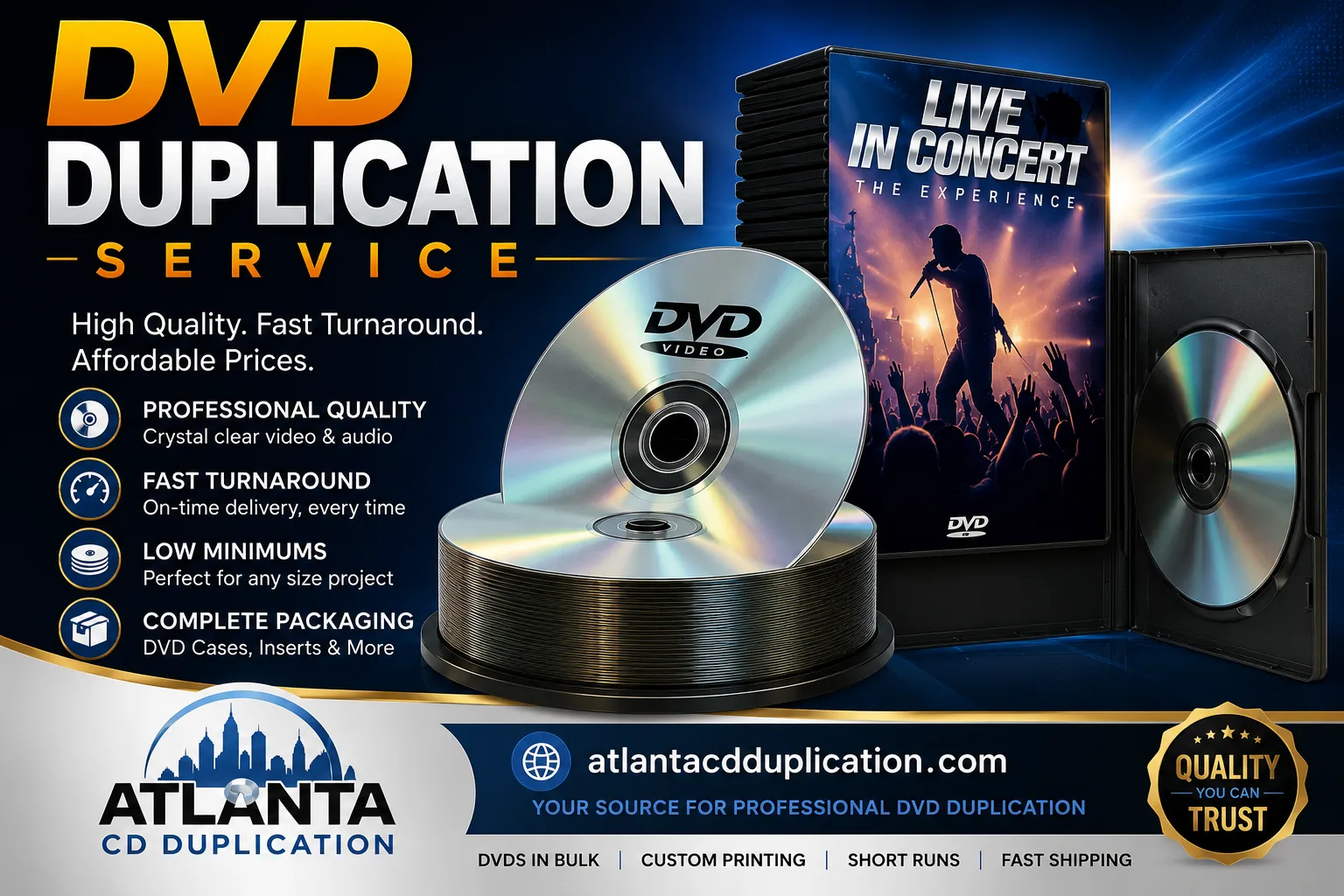
You’ve finished the edit. The sermon series is exported. The recital video is approved. The training disc content is signed off. Now you need something practical: a way to turn that final master into real, hand-to-hand copies people can take home, sell at the merch table, mail to donors, or keep in an archive.
That’s where DVD duplication services still make sense. Physical media isn’t the default anymore, but it still fills jobs streaming doesn’t handle well. DVDs can be easy to hand out at events, useful for ministry distribution, and dependable for people who want a copy that isn’t tied to a platform login. DVD itself was invented in 1995 and first released in 1996, and while sales fell 86% from their 2005 peak as streaming grew, duplication remains a niche service for physical distribution, as summarized in the DVD format history.
If your order is small, you’re probably not looking for factory-scale manufacturing. You’re looking for clear options, a reasonable minimum, quick turnaround, and packaging that doesn’t make your project look homemade. That short-run range is where many musicians, churches, indie filmmakers, and small businesses get stuck. They hear terms like duplication, replication, DVD-R, proofs, sleeves, and Amaray cases, but nobody slows down and explains what matters.
Your Project Is Finished Now What
A lot of customers arrive at this stage with the same feeling. The hard part should be over. The video is done, the menu works, the artwork is close, and yet the last step feels oddly technical.
A church media team might need sermon sets ready before Sunday. A local band may want discs for an album release table. A filmmaker could need screeners for a festival audience or a small community event. In each case, the project is complete creatively, but distribution still needs a format people can hold, share, and store.
Why physical still has a place
Streaming changed the market, but it didn’t eliminate every use for discs. Some audiences prefer a physical copy. Some organizations need something simple to mail. Some projects are meant to be handed out in person, not uploaded and forgotten.
That’s why short-run DVD work still exists. It serves practical situations where convenience, control, and presentation matter more than mass-market volume.
Physical media works well when you need a finished product that can be handed to someone directly, without asking them to download an app, create an account, or search for a link later.
What most new customers actually need
Most first-time buyers don’t need a giant manufacturing run. They need a clean small batch that looks professional, plays correctly, and arrives on time.
That usually means focusing on a few basics first:
- A reliable master file so every disc is built from the same source
- A realistic quantity based on your event, audience, or budget
- Packaging that fits the job such as sleeves for handouts or cases for retail-style presentation
- Enough lead time to review proofs and avoid rush stress
The good news is that short-run DVD duplication is built for exactly this situation. You can move from one finished master to a box of ready-to-distribute discs without stepping into the tooling costs and longer setup of large-scale manufacturing.
Duplication vs Replication What’s Right for You
This is the decision that confuses most buyers.
The simplest way to think about it is this. Duplication is like producing a short run with a very capable digital printer. Replication is like setting up a commercial press. Both can produce finished discs, but they’re built for different quantities, budgets, and timelines.

The basic difference
With DVD duplication, data is written to recordable discs using a laser. With DVD replication, discs are manufactured in a pressing process from a master.
For short-run work, that difference matters less in theory than it does in logistics. If you only need a limited batch, duplication is usually the practical choice. A provider cited in this market says duplication can start at 25 units with a 3 to 5 day turn time, while replication often starts at a 500-unit minimum, which makes duplication the more natural fit for projects in the 25 to 500 unit range, according to this DVD duplication service overview.
Duplication vs replication at a glance
| Factor | DVD Duplication | DVD Replication |
|---|---|---|
| Method | Discs are burned with a laser onto recordable media | Discs are pressed in a manufacturing process |
| Best fit | Short runs and mid-size projects | Larger retail-style orders |
| Typical minimums | Can start at 25 units | Often starts at 500 units |
| Speed | Faster for urgent jobs | Longer setup and proofing cycle |
| Setup cost | Lower upfront burden for small runs | More sensible when volume is high |
| Flexibility | Easier to adjust small batches | Better when the order is already locked |
If you’re an indie artist, church, or local organization, the quantity question usually answers the process question.
When duplication is the smarter choice
Choose duplication when your order size is still uncertain, your deadline is close, or you don’t want money tied up in extra inventory.
It’s especially useful when you’re doing things like:
- Event handouts: conference messages, wedding videos, school performances
- Merch table sales: album videos, live performance discs, documentary extras
- Ministry distribution: sermon archives, outreach materials, teaching series
- Short campaigns: promo drops, donor mailers, niche audience releases
Later in the buying process, it helps to hear the production side explained visually:
Practical rule: If your project sits comfortably in the short-run window and timing matters, duplication is usually the safer and simpler decision.
Replication has its place. But if you’re trying to decide between ordering what you know you can use now versus committing to a larger pressed run, duplication usually keeps risk lower and planning easier.
Preparing Your Files for Flawless Duplication
File prep is where small mistakes create big delays. Most duplication problems don’t come from the burners. They come from the source material, missing assets, or artwork that wasn’t built for print.
A clean handoff makes everything easier for both sides. It reduces proof revisions, avoids playback surprises, and helps your order move without a string of avoidable emails.

Start with the disc content
For short-run jobs, DVD duplication uses recordable media such as DVD-R and dual-layer DVD-9. These standard discs are 120 mm in diameter and 1.2 mm thick, and the content is written by laser rather than pressed in a factory, as described in this disc duplication and media format reference.
What should you send? The cleanest options are usually:
- A tested DVD master disc if you already burned one that plays correctly
- An ISO image if you want the duplicator to work from a single disc image
- A VIDEO_TS folder if your DVD authoring is complete and organized properly
If you’re sending a physical master, test it first on more than one player. Menus should work. Chapters should open. Audio should stay in sync. The disc should finish playback without freezing.
Prepare the artwork like a print job
Disc duplication includes printing, so your graphics need to be production-ready, not just screen-ready.
Most shops will want artwork that follows their templates. That usually means:
- High-resolution files: avoid tiny web graphics stretched to fill a cover
- CMYK color mode: print behaves differently than a phone or laptop screen
- PDF, JPG, or similar approved formats: ask before exporting if you’re unsure
- Bleed and safe area respected: important text shouldn’t sit on the trim edge
A common mistake is designing a cover that looks centered on screen but loses text near the cut line when printed. Another is placing critical wording in the clear hub area of the disc face.
A simple preflight checklist
Before you upload or ship anything, confirm these points:
- Playback is tested on actual DVD hardware, not just a computer drive.
- File names are organized and clearly labeled.
- Artwork matches the packaging you ordered.
- Spelling is final on the disc face, inserts, and spine.
- You’ve asked for the correct template for your case or sleeve.
The fastest orders are usually the ones that arrive with a stable master, complete artwork, and no guesswork about packaging.
Choosing Your DVD Packaging and Print Options
Packaging changes how people value the disc before they ever play it. The same content can feel like a quick handout, a polished retail item, or a premium keepsake depending on the package around it.
That’s why packaging shouldn’t be an afterthought. It needs to match the job.

Match the package to the way you’ll distribute it
A church handing out message copies after service usually has different priorities than a filmmaker selling discs at screenings. A business training department may want simple, durable packaging. A band may care more about shelf appeal and artwork space.
Here’s a practical way to think about common options:
- Paper or Tyvek sleeves work well for economical handouts, direct mail, and simple distribution.
- Slim cases save space and keep a cleaner look than loose sleeves.
- Standard jewel cases give a familiar music-release feel and can hold printed inserts.
- Amaray-style DVD cases look like traditional movie packaging and suit video releases well.
- Digipaks or eco-style wallets give you more visual impact and a more designed presentation.
- Boxed multi-disc packaging fits sets, collections, or training libraries.
What each choice says about the project
Sleeves say, “This is practical and easy to distribute.”
A jewel case says, “This is a standalone release.” An Amaray case says, “This belongs on a shelf with films and video titles.” A digipak says, “Presentation matters here.”
That doesn’t mean premium packaging is always the right move. If you’re mailing a large batch to attendees or giving discs away after an event, simple may be smarter. If you’re selling a project, collecting donations, or sending copies to partners, a more substantial package can support the perceived value.
Don’t forget the disc face itself
Printing on the disc can be minimal or full-color. The right choice depends on your audience and budget.
A basic text layout often works for internal training, archives, or church distribution. Full-color disc printing usually fits public-facing releases where branding matters. If the package looks polished but the disc face looks unfinished, the whole set can feel mismatched.
Here’s a useful way to decide:
| Need | Good fit |
|---|---|
| Lowest-cost handout | Sleeve plus simple disc print |
| Compact event distribution | Slim case plus branded disc |
| Music or film release | Jewel or Amaray case plus full-color print |
| Premium presentation | Digipak or custom multi-disc package |
Packaging should support the purpose of the disc. If the DVD is a giveaway, keep it efficient. If it’s part of your brand, give the artwork room to do its job.
Understanding DVD Duplication Pricing and Turnaround
Most pricing questions come down to three things. How many discs do you need, how complex is the package, and how fast do you need it?
The disc itself is only part of the cost. Printing, assembly, inserts, cases, proofing, and shipping all affect the final quote. That’s why two orders with the same title can price differently if one uses a sleeve and the other uses a case with printed components.
What drives the price
For short-run jobs, the main cost factors usually look like this:
- Quantity: larger runs tend to spread setup and labor more efficiently
- Disc format: standard or dual-layer needs can affect the build
- Print level: simple text print is different from full-color coverage
- Packaging choice: sleeves, cases, and premium formats all involve different materials and labor
- Assembly details: inserts, wrapping, and multi-piece packs add steps
The easiest way to control budget is to decide what matters most. If your audience mainly needs the content, trim the packaging. If the release is part of your brand or fundraising effort, put more of the budget into presentation.
How turnaround really works
Short-run DVD duplication is often chosen because it can move fast. Service listings in this market show production windows from a standard 5-business-day schedule to an expedited 24-hour option, as outlined in this DVD duplication turnaround overview.
That speed is valuable, but rush work only goes smoothly when the source files are ready and quality control stays tight.
Quality control on duplication usually means checking that:
- The burn is consistent
- The label print is aligned
- The disc reads back properly
- The right content is on the right job
How to plan without stress
If your release date is fixed, don’t plan around the fastest possible scenario. Plan around a normal one and treat rush service as backup, not the default.
A simple buying habit helps a lot:
- Lock the content first.
- Finalize artwork next.
- Approve proofs carefully.
- Leave room for shipping.
That sequence saves more time than trying to claw it back with emergency production later.
How to Select the Best DVD Duplication Service
Your project is done, the event date is on the calendar, and now you need 100 or 250 DVDs that look professional and arrive on time. For indie creators, churches, and small businesses, this is often the point where the process gets confusing. One shop talks about duplication, another mentions replication, and a third lists options without explaining which ones fit a short run.
The right service for a 25 to 500 unit order should make that decision simpler, not harder. You are trusting them with more than files. You are trusting them with a fundraiser table, a sermon series, a training handout, or a film release that represents your work.
The market still supports specialized disc providers. Analysts at Future Market Insights project continued demand in this category in this duplication disc market projection. For buyers, that means you can still compare vendors carefully instead of settling for whoever happens to list DVDs on a generic print site.

What to ask before you order
A good shop should be able to explain its process in plain language. If you ask a simple question and get a vague sales answer, that usually gets worse once your order is in production.
Start with questions that affect a short-run job directly:
- Do you handle small orders regularly? A shop that mainly serves large factory-style runs may treat a 50-disc or 200-disc order like an exception instead of a normal job.
- How do you check the discs before they ship? You want to hear a real process, not a general promise.
- What does the approval step look like? A proof is your chance to catch label or packaging mistakes before they become boxes of finished product.
- What turnaround times are realistic for my quantity? Short-run work can move fast, but the answer should match your quantity and packaging choice.
- Can you explain the options in plain English? If you are not sure what format or finish you need, the shop should help you choose instead of pushing you toward the most expensive version.
- How will the order be packed and shipped? This matters if your discs are headed to an event, members, customers, or multiple locations.
A helpful vendor sounds less like a script and more like a technician at the counter who has done this hundreds of times.
What a good fit looks like for short runs
For small and midsize projects, clarity matters as much as price. You want a service that gives you specific answers about minimums, approval steps, production timing, and what happens if something in your files needs attention.
That is especially important for buyers who are stuck in the middle ground. A church ordering 75 sermon sets does not need the same process as a national retail release. An indie filmmaker making 300 units for screenings and direct sales needs a partner who understands that short-run duplication has different priorities. Flexibility, communication, and practical guidance matter more here than factory scale.
Atlanta Disc is one example of a provider that focuses on short-run disc duplication and printing for projects like music releases, church media, and indie work. That kind of specialization can help when your order is too small for large-scale manufacturing but important enough that you want a shop used to handling these jobs every day.
Red flags buyers often miss
Some warning signs show up before you ever approve an order.
| Warning sign | Why it matters |
|---|---|
| Unclear minimums | You may end up paying for more units than your project actually needs |
| No clear proofing step | Artwork mistakes can make it all the way to production |
| Fuzzy turnaround promises | A fixed event date can turn into a rush problem fast |
| Thin packaging details | The finished product may look different from what you expected |
| Slow or incomplete replies | Communication problems often continue during production |
One simple rule helps a lot. Choose the shop that answers direct questions with direct answers.
For short-run DVD projects, that usually tells you more than a polished sales page ever will.
Frequently Asked Questions About DVD Duplication
Can a shop copy a commercial movie or someone else’s content
No legitimate duplicator should accept material you don’t have the rights to reproduce. If you’re sending a sermon series, event recording, training program, film, or album, make sure you own it or have written permission to duplicate it.
What’s the difference between DVD-5 and DVD-9
They refer to common disc variants used in DVD production. In plain terms, DVD-5 is the core single-layer format and DVD-9 is the core dual-layer format. If you’re unsure which one your project needs, send the finished master or disc image and ask the shop to confirm before production.
Can I send a physical master instead of uploading files
Yes, many shops can work from a physical master disc. That can be helpful if your DVD authoring is already complete and tested. Just make sure the master plays correctly before you send it.
How do I avoid playback problems
Use a properly prepared master, test it on more than one player, and don’t make last-minute changes after approval. Playback issues usually start upstream with the source, not with the fact that the discs were duplicated.
Is DVD duplication still a good idea for small runs
Yes, for the right use case. It’s especially practical when you need a limited quantity, want a faster turnaround, or need something physical for hand-to-hand distribution, merch, outreach, or archives.
How should I choose packaging if I’m on a budget
Keep the package tied to the purpose. Sleeves and simple disc printing work well for giveaways and mailers. Cases and fuller print packages make more sense when the disc is being sold, displayed, or presented as a polished release.
How do I get my finished order
Most providers ship completed orders, and some also support local pickup depending on location. Ask how the discs will be packed, what carrier options are available, and whether tracking is included before you place the order.
If you’re comparing DVD duplication services for a short-run project and want straightforward help with quantities, packaging, and file prep, Atlanta Disc is one option to review. They handle short-run disc duplication and printing for artists, churches, labels, and other small-batch customers, which fits the kind of 25 to 500 unit projects covered in this guide.